- Jump to: The Franchise Conversion Problem
- Jump to: Designing the Location-to-Lead Path
- Jump to: CRO Essentials for Franchise Sites
- Jump to: UX Patterns That Leak Leads Jump to: What to Measure
Your franchise website has two jobs running simultaneously. It needs to build trust in the brand at the national level while converting a visitor in a specific zip code into a lead for a specific franchisee. Most websites do one or the other. Very few do both.
This is the core design problem of franchise website conversion — and it’s why generic CRO advice doesn’t translate. Telling a franchisor to “add a clear CTA above the fold” is accurate but incomplete. The real question is: a CTA for what, routing where, owned by whom?
Getting this right requires thinking through the full path from first click to franchisee follow-up. Here’s how to design franchise websites that actually convert.
The Franchise Conversion Problem Nobody Talks About
Standard CRO assumes one audience, one conversion goal, one destination. Franchise websites serve at least two audiences — the consumer looking for a local service and, in many cases, the prospective franchisee evaluating the opportunity — and the conversion action has to route to the right place for both.
The consumer side is where most lead volume lives, and it’s where most franchise sites have the biggest gap. A visitor lands on a location page. They fill out a contact form. That form submission lands in a generic corporate inbox. The franchisee finds out two days later. The lead has already called someone else.
That is a routing problem disguised as a design problem. You can fix the button color and the headline and the form layout, and none of it matters if the lead disappears into the wrong inbox.
Before you touch any design element, the conversion architecture has to be right:
- Every location page routes leads to that location’s owner
- Every form fires a real-time notification — not a daily digest
- Corporate can see all lead volume without intercepting individual leads
Once the plumbing is in order, the design work compounds it. Without it, design improvements return diminishing gains.
Designing the Location-to-Lead Path
The path a visitor takes from landing on a franchise website to submitting a lead is rarely a straight line. They might land on a blog post, browse to the homepage, navigate to a location finder, land on a specific location page, and then — if the page earns it — fill out a form or click to call.
Every step in that path is a potential exit. Here is how to reduce exits at each stage.
Stage 1: The Landing Page Has to Earn Local Trust Immediately
Whether the landing page is a blog post, a location page, or the homepage, the visitor needs to know within three seconds that this brand operates near them. That means:
- Geo-specific H1 or subheading on location pages (“HVAC repair in Scottsdale, AZ” not “HVAC repair near you”)
- Local phone number visible in the header — not a central 800 number
- Local reviews above the fold — not a generic 4.8-star aggregate from all 300 locations
A visitor who can’t immediately confirm that this location is near them and operates in their area will not scroll. They will bounce. The trust signal has to come before the pitch.
Stage 2: The Location Finder Has to Be Frictionless
For franchises, the location finder is the highest-stakes UX element on the site. It is the pivot point between brand-level browsing and local-level conversion. Most location finders fail in one of three ways:
- They require too many steps. Zip code entry → submit → results page → click location → load location page. That’s four clicks before the visitor sees anything local. Every click is an exit opportunity.
- They don’t auto-detect. Requiring the visitor to manually type their zip code when their browser has already offered location permissions is unnecessary friction.
- They return too many results. A list of 12 locations without distance sorting or map context puts the decision back on the visitor.
The fix is geo-detection on page load, a result set of three to five nearest locations with distance shown, and a direct link from each result to that location’s dedicated page — not a generic contact form.
Essential Features Every Multi-Location Business Website Needs
Stage 3: The Location Page Has to Convert, Not Just Inform
This is where most franchise sites underperform. Location pages are often templated, thin, and built for the brand rather than the visitor. They show the address, the hours, a generic description, and a contact form. Nothing about them earns the lead.
A location page that converts is built around three questions the visitor is silently asking:
“Is this the right location for me?” — Answer with a neighborhood reference, service area map, or “we serve [city] and surrounding areas” line. Make it specific.
“Can I trust this specific franchisee?” — Answer with local photos (not stock), the owner’s name and a one-line bio, and reviews from local customers filtered to this location. National brand trust gets them to the page; local trust gets them to fill the form.
“What happens after I submit?” — Answer explicitly. “We’ll call you within one business hour” outperforms “Submit” as a form button. Set the expectation so the visitor knows the next step is fast and human.
CRO Essentials for Franchise Websites
Once the path is designed correctly, these five elements have the highest impact on conversion rate for franchise sites specifically.
1. Local CTAs, Not Brand CTAs
“Get a Free Quote” is a brand CTA. “Get a Free Quote from Our Scottsdale Team” is a local CTA. The difference in conversion rate on franchise location pages is measurable. The visitor is not buying the national brand in that moment — they are buying the local operator. The CTA should reflect that.
This requires either dynamic content that pulls location data into the CTA text, or unique CTA copy written per location. At small scale, unique copy is manageable. At 50-plus locations, you need a platform that handles token insertion automatically.
2. Mobile Form Design That Doesn’t Fight the Keyboard
Over 70% of local service searches happen on mobile. Yet most franchise contact forms are designed on desktop and never tested on a phone. The common failures:
- Fields too small to tap accurately
- Labels inside fields that disappear when the visitor starts typing (so they forget what goes in field 3 of 6)
- No autocomplete attributes on name, email, and phone fields, so the visitor has to type everything manually
- Submit button below the fold after the keyboard appears, requiring an extra scroll
Test every form on an actual phone, not a browser resize. The form that converts on desktop often bleeds 30-40% of mobile leads silently.
3. Page Speed on Location Pages Specifically
Franchise location pages are often the worst-performing pages on the site because they’re generated from templates that carry every plugin, every script, and every image from the master layout. A location page that takes 4.2 seconds to load on mobile is not a CRO problem — it is a revenue problem.
Run Google PageSpeed Insights on three to five location pages, not just the homepage. The homepage is almost always faster because it gets more attention. Location pages are where visitors arrive from local search, and they are frequently the slowest pages on the site.
The benchmark to hit is under 2.5 seconds LCP on mobile. If you’re over 3.5 seconds, no amount of CTA optimization will compensate.
4. Trust Signals at the Local Level
National awards and corporate certifications build brand trust. They do not close local leads. The trust signals that move a visitor from “considering” to “contacting” on a local franchise page are:
- Reviews from customers in their area, sourced from Google Business Profile for that location
- Photos of the actual location, team, or work — not brand photography
- Franchisee tenure (“locally owned since 2019”) if it’s positive
- Local association memberships or community involvement
These do not need to be prominent. A three-review widget and one local photo below the form converts better than a blank form with a national badge.
5. Reducing Form Fields Without Losing Lead Quality
Every field you add to a form reduces completion rate. The question is not “what information would be useful?” It is “what information do we actually act on before calling the lead back?”
For most franchise service businesses, that answer is: name, phone number, and optionally the service they need. Email is useful for autoresponders but is not required for follow-up. Address is almost never needed at the form stage.
Three-field forms (name, phone, service) consistently outperform six-field forms on franchise location pages. The franchisee learns everything else on the call.
Built for this: Designing these patterns into a single location page is straightforward. Applying them consistently across 50 or 500 locations without manual intervention is an infrastructure problem. A multi-location website platform like KynectLocal handles token-based local CTAs, form configuration, autoresponders, and lead routing at the platform level — so franchisors aren’t manually updating each location page every time a CRO change needs to roll out.
UX Patterns That Quietly Leak Leads
These are the design decisions that look reasonable and silently cost conversion rate.
The Generic Homepage as the Default Landing Page
Running paid ads or local SEO campaigns that land all traffic on the homepage is the single most common franchise CRO mistake. The homepage serves the brand. The location page serves the lead. If a visitor in Denver clicks a search result for “plumber in Denver” and lands on a homepage with a national overview and a location finder, a significant percentage will not bother to find their location. They’ll go back to the SERP and click the next result.
Every traffic source that has a local signal — local SEO, local paid ads, Google Business Profile — should land on the specific location page, not the homepage.
The 12-Column Footer Navigation
Franchise sites accumulate navigation. After a few years, the footer has 40 links across 8 columns covering every service, every location, every legal page, and three social icons. This pattern exists because no one owns the decision to remove anything.
From a conversion standpoint, footer link sprawl sends mixed signals about where the visitor should go next. A location page footer should have one or two next actions, not forty. Audit your footer on location pages specifically.
The Lead Form Below Every Other Content Section
On many franchise location pages, the form is placed at the bottom — below the about section, below the service list, below the testimonials. The reasoning is that visitors need to be warmed up before they see the form. The data consistently shows otherwise for local service intent: visitors arriving from local search have already made the decision that this type of service is what they need. They are evaluating whether this specific location is trustworthy, not whether they need the service at all.
For local service franchise pages, a form or click-to-call in the first viewport — alongside a trust signal — consistently outperforms the long-scroll-then-form layout.
How to Build a Scalable Website for a Franchise System
What to Measure
Conversion rate alone doesn’t tell you enough. These are the four metrics worth tracking at the location-page level:
1. Location page conversion rate by location. Not an average across all locations — by individual location. A 2% aggregate might be hiding a 6% top performer and a 0.4% underperformer. The underperformer is a template problem, a routing problem, or a traffic-quality problem. You cannot diagnose it from the aggregate.
2. Form abandonment rate. If your form analytics show visitors reaching the form but not completing it, the form is the problem. Track field-level abandonment if your form tool supports it — it will tell you exactly which field kills completions.
3. Lead response time by location. This is not a website metric but it is the downstream conversion metric. A lead submitted at 2pm on a Tuesday that gets a response 26 hours later has a sub-5% close rate. A lead that gets a call within 15 minutes closes at a substantially higher rate. Your website can generate the lead. The franchisee has to close it. Tracking response time by location surfaces the operational gaps.
4. Traffic source by location page. Local organic search, Google Business Profile clicks, and paid local campaigns all convert at different rates on location pages. A location page getting 80% of its traffic from branded navigational searches (people typing the franchise name plus city) will convert differently than one getting 80% from unbranded local searches (people typing the service category plus city). Mixing these into one conversion rate creates a misleading number.
Local SEO for Franchise Unit Websites: Best Practices
The Design Checklist Before You Launch or Rebuild
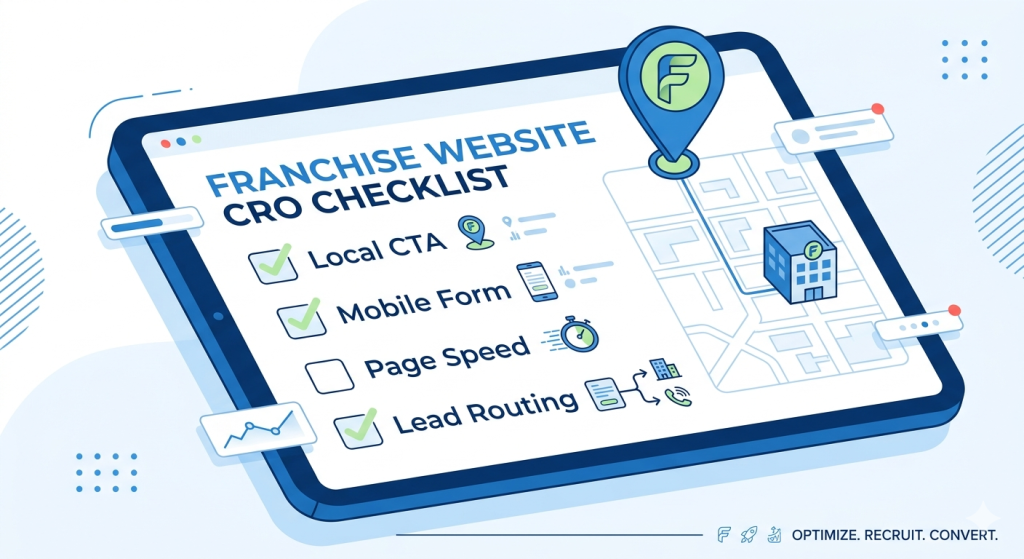
Run this against any franchise location page before it goes live:
- Does the page confirm local relevance within the first viewport?
- Is the local phone number in the header — not a central 800 number?
- Are reviews on the page filtered to this location specifically?
- Does the location finder use geo-detection, not just a search field?
- Is the CTA copy local, not generic?
- Is the form three to four fields maximum?
- Have you tested the form on an actual mobile device?
- Does the page load in under 2.5 seconds LCP on mobile?
- Does a form submission trigger a real-time notification to the franchisee?
- Is there at least one local photo on the page (not stock)?
If more than two of these are unchecked, conversion rate is being left on the table regardless of how much traffic the page receives.
The Bottom Line
Designing franchise websites that convert is not a creative problem. It is an architecture problem. The brand has to earn national trust. The location page has to earn local trust. The form has to route to the right person immediately. The franchisee has to respond fast.
Every one of those steps has a design component. None of them works without the infrastructure behind it.
If you are rebuilding or auditing a franchise web presence and want an assessment of where conversion is leaking, Elevative works with franchise brands on exactly this. We design the experience and build on platforms that let it scale.
Related reading: